Three Vultr servers with the same configuration, each installed with one of the three panels, for a comprehensive comparison from the perspective of a WordPress site owner.
Test date: June 2026 · All data from real terminal tests, reproducible
vs Baota Panel / 1Panel
Three Vultr 1GB servers with the same configuration comparison
vs CloudPanel →
Consecutive tests on the same $6/year VPS
Three servers were created on the same day, in the same data center, with the same configuration, differing only in the control panel installed. Stress tests were initiated from a separate fourth machine to eliminate local interference.

Three test servers: wp-panel / bt-panel / 1panel, all 1C1G / 25GB SSD / $5/month
All three machines were tested after installing Nginx + PHP + MariaDB + Redis uniformly.
| Metric | WP Panel | BT Panel | 1Panel |
|---|---|---|---|
| Disk Usage | 5.7 GB | 8.0 GB | 9.1 GB |
| Used Memory | 459 Mi | 470 Mi | 537 Mi |
| Available Memory | 502 Mi | 491 Mi | 424 Mi |
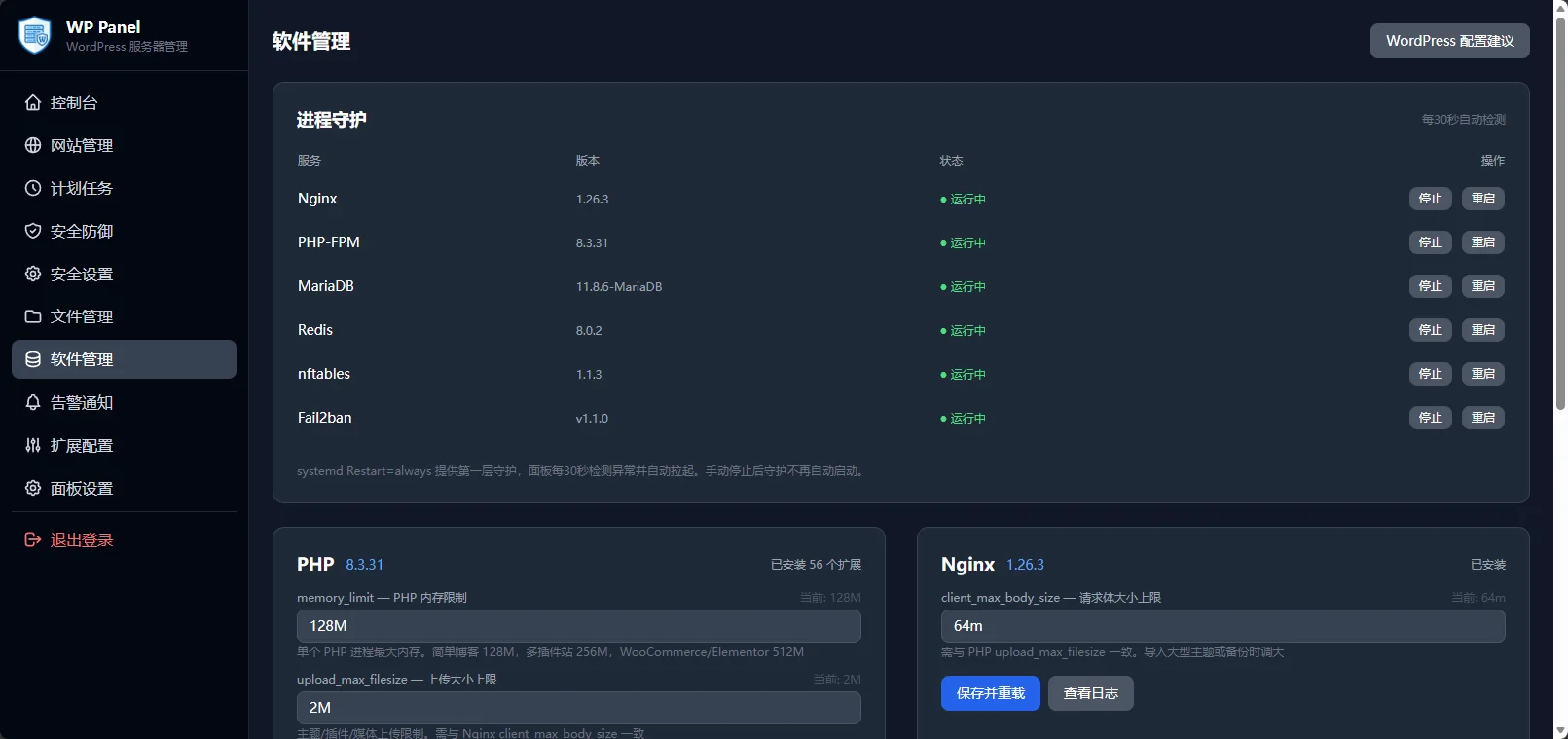
WP Panel
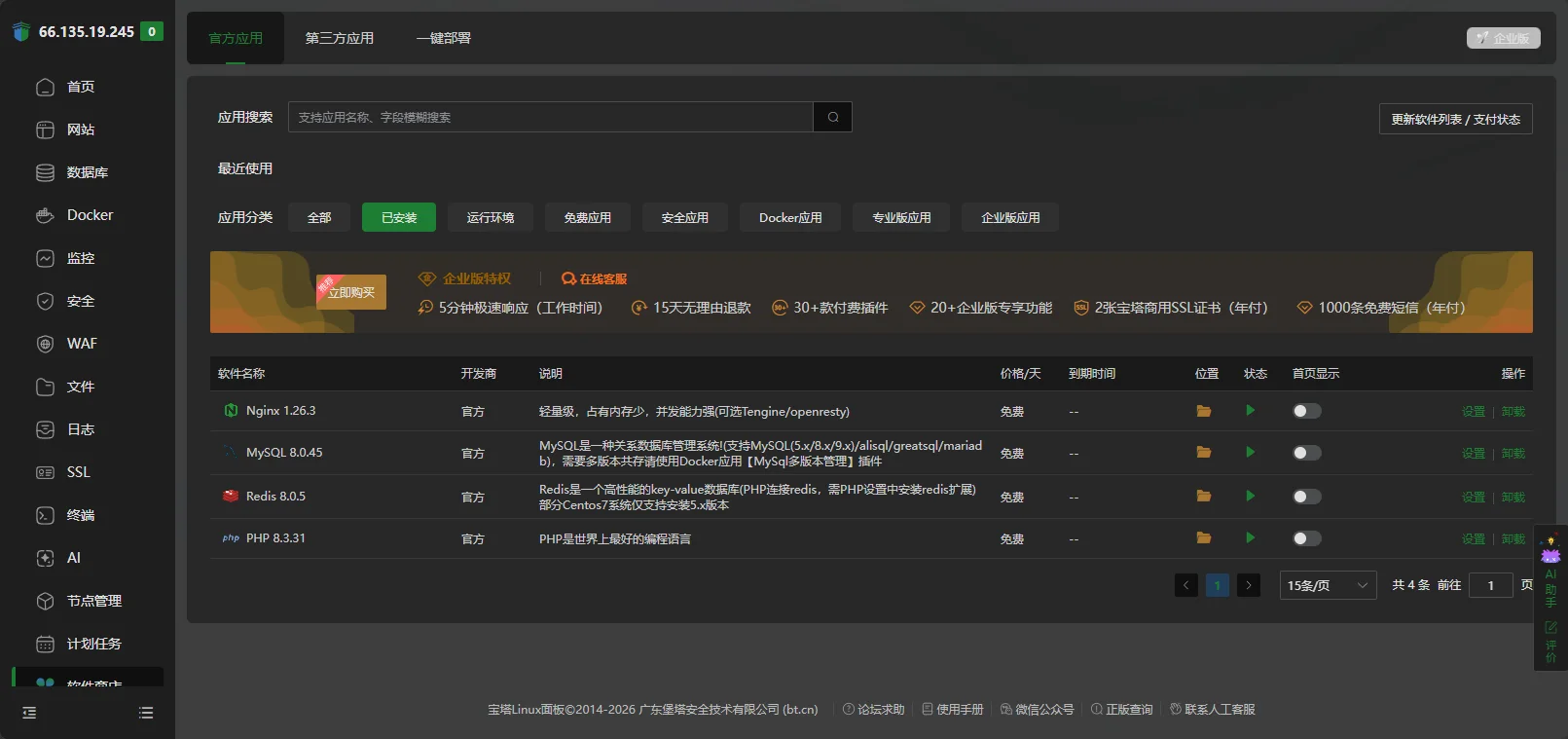
BT Panel
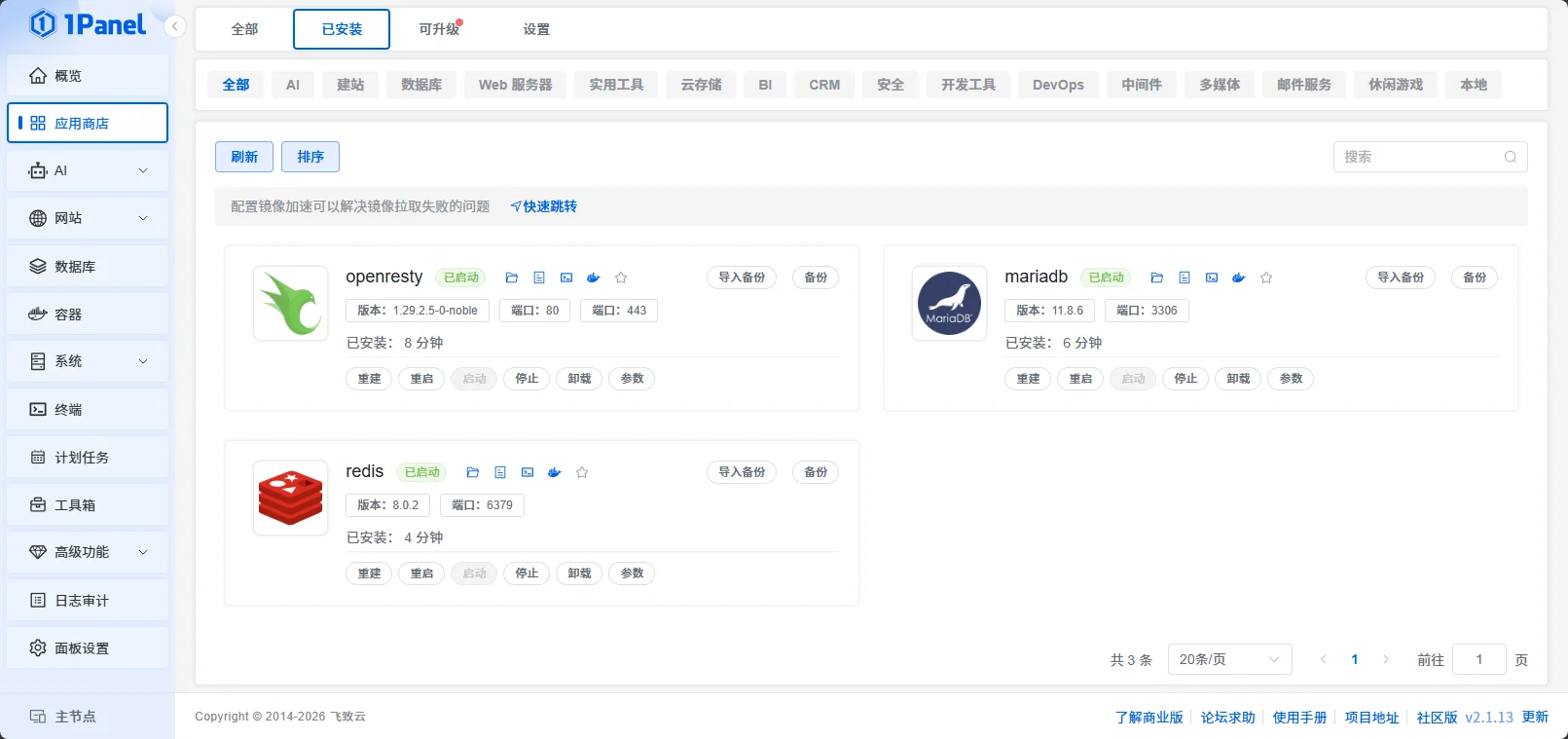
1Panel
| Metric | WP Panel | BT Panel | 1Panel |
|---|---|---|---|
| Used Memory | 505 Mi | 414 Mi | 529 Mi |
| Swap Usage | 268 KiB | 447 Mi | 151 Mi |
| Process Count | 152 | 152 | 175 |
Record the actual steps from the panel homepage to WordPress accessibility.
No SSH required, no manual WordPress download, no account login needed.
You need to log in to the BT account to apply for an SSL certificate. WordPress requires manual download, extraction, and moving.
1Panel"s website setup process is extremely unfriendly for beginners: you need to understand concepts like "runtime environment" and "code name"; PHP must be created separately in the runtime environment; it uses OpenResty by default instead of standard Nginx; the certificate application process is complex. Finally, I tried to install WordPress via the "one-click deployment" feature, which indicated success but the website was inaccessible. Considering the time cost, I abandoned further testing.
Stress testing tool ApacheBench, 1000 requests / 10 concurrency, initiated from a separate fourth machine.
| Metric | WP Panel | BT Panel |
|---|---|---|
| QPS | 28.10 req/s | 2.67 req/s |
| P50 Latency | 33 ms | 3720 ms |
| P99 Latency | 1164 ms | 4296 ms |
| Total Time | 35.6 s | 374.4 s |
| Metric | WP Panel (FastCGI Cache) | BT Panel |
|---|---|---|
| QPS | 283.59 req/s | Does not support one-click Nginx cache enable |
| P50 Latency | 32 ms | — |
| P99 Latency | 49 ms | — |
| Total Time | 3.5 seconds | — |
WP Panel has built-in FastCGI full-site cache, which can be toggled with one click in the panel. Baota Panel requires manual Nginx cache configuration, with no panel-based operation interface.
| Metric | WP Panel | BT Panel |
|---|---|---|
| QPS | 303.92 req/s | 228.56 req/s |
| P50 Latency | 31 ms | 42 ms |
| P99 Latency | 50 ms | 60 ms |
WP Panel's PHP processing capability is about 33% higher than Baota Panel, with lower latency. This test excludes the impact of caching and rate limiting, reflecting the difference in panel optimization for the PHP runtime environment.
Without modifying default configurations, record the WordPress-related security capabilities that come with each panel after installation.
| Security Capability | WP Panel | BT Panel | 1Panel |
|---|---|---|---|
| wp-login Brute Force Protection | Built-in | Requires manual configuration | Requires manual configuration |
| XML-RPC Attack Blocking | Built-in | Requires manual configuration | Requires manual configuration |
| Sensitive File Scan Defense | Built-in | Requires manual configuration | Requires manual configuration |
| IP Multi-level Progressive Ban | Built-in | Requires manual configuration | Requires manual configuration |
| Fail2ban + Nftables Integration | Built-in | Requires manual configuration | Requires manual configuration |
| Panel Self-Scan Defense | Built-in | Requires manual configuration | Requires manual configuration |
| CDN Real IP Restoration | Built-in | Requires manual configuration | Requires manual configuration |
| BasicAuth + Web Dual Authentication | Built-in, enabled by default | BasicAuth can be manually enabled | Two-factor authentication (manually enabled) |
| Cost | Permanently Free | Includes paid items | Includes paid items |
Both Baota Panel and 1Panel have system firewalls enabled by default, but lack specific security rules for WordPress sites. The items marked "requires manual configuration" typically need third-party plugins or manual rule writing.
Records each panel's support for WordPress site creation and management scenarios.
| Feature | WP Panel | BT Panel | 1Panel |
|---|---|---|---|
| One-click WordPress site creation with domain | Supported | Partially supported* | Partially supported* |
| Auto-configure SSL certificate | One-click application | Requires login to Baota account | Manual configuration |
| Auto-configure permalinks | Default configuration | Manual rule selection | Manual configuration |
| Built-in FastCGI cache | Built-in, one-click toggle in panel | Requires manual configuration | Requires manual configuration |
| One-click fill/modify database info | Supported | Not supported | Not supported |
| One-click WordPress reinstallation | Supported | Not supported | Not supported |
| One-click wp-config.php optimization | Supported | Not supported | Not supported |
| System update detection and one-click update | Supported | Not supported | Not supported |
* Both Baota and 1Panel support one-click WordPress deployment, but steps like filling database info, applying SSL certificates, and configuring permalink rules still require manual handling, unlike WP Panel which automates everything.
WP Panel outperformed in every dimension tested: fewest setup steps (6 vs 15), 10x higher performance without cache, 100x higher with cache, near-zero Swap usage, and out-of-the-box security. It is purpose-built for WordPress operations from the ground up, omitting generic panel features like Docker, email, and DNS, thus maintaining excellent performance on low-spec 1C1G servers.
Baota Panel is an all-in-one panel that supports multiple runtime environments such as Java, Python, Node.js, and Docker. If your needs go beyond WordPress and PHP, Baota is still a viable option. However, for WordPress site management itself, Baota Panel's operation complexity and performance are inferior to WP Panel.
1Panel's Docker-based architecture struggles on 1C1G servers—after installation, disk usage is 9.1 GB, and the WordPress deployment process could not be completed. It is suitable for users already familiar with Docker, but not recommended for WordPress beginners.
All test data is reproducible. If you have questions about the testing methods or results, feel free to discuss on GitHub.
View WP Panel on GitHub